The lease from your landlord
Received by email, opened in Tinte, signed and sent back – no printer, no scanner involved.
Sign documents without printing.
The PDF signing app for iPhone and iPad. Free.

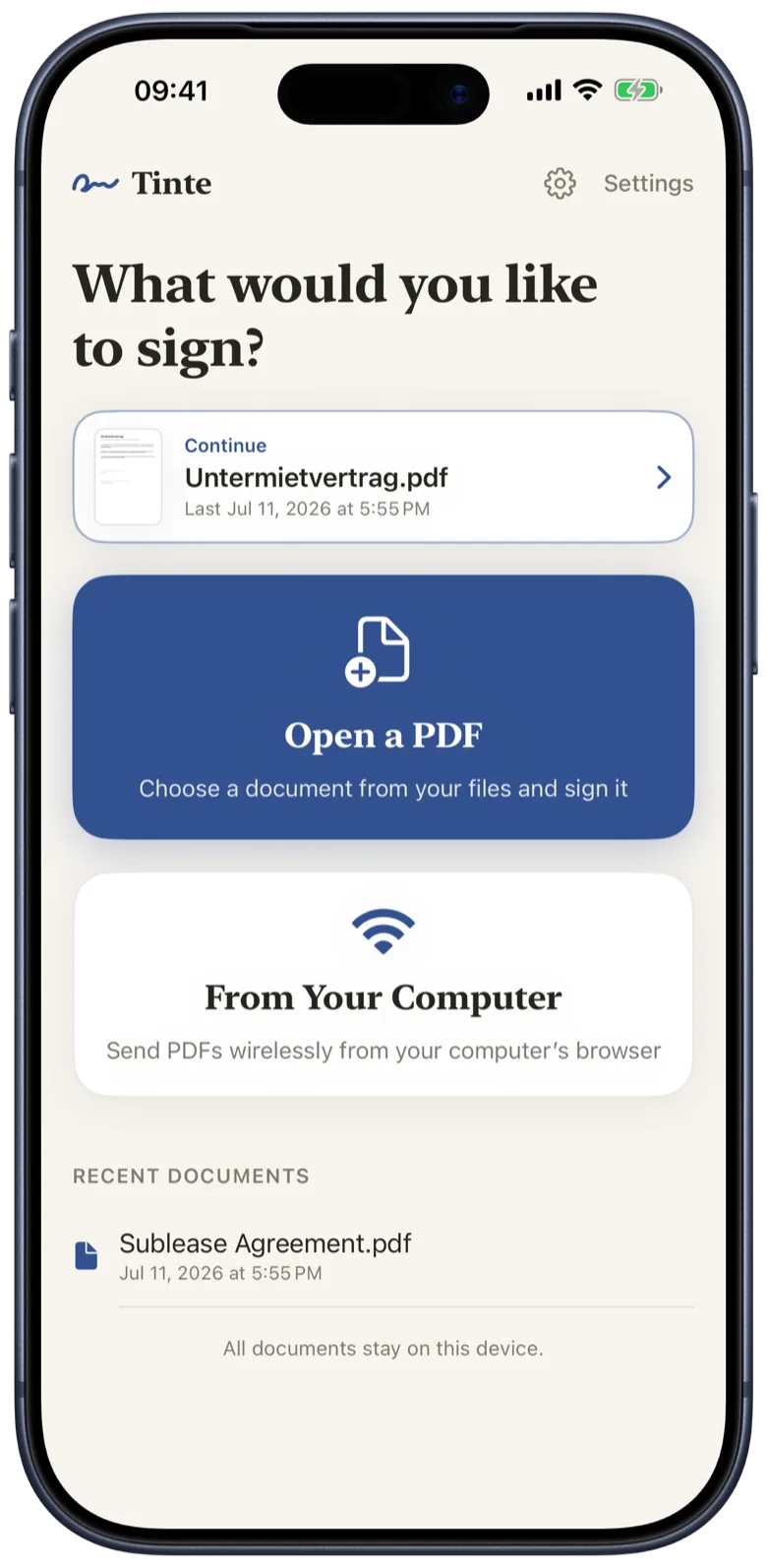
Open a contract, place your signature, highlight a line – the whole flow, uncut.
Sign
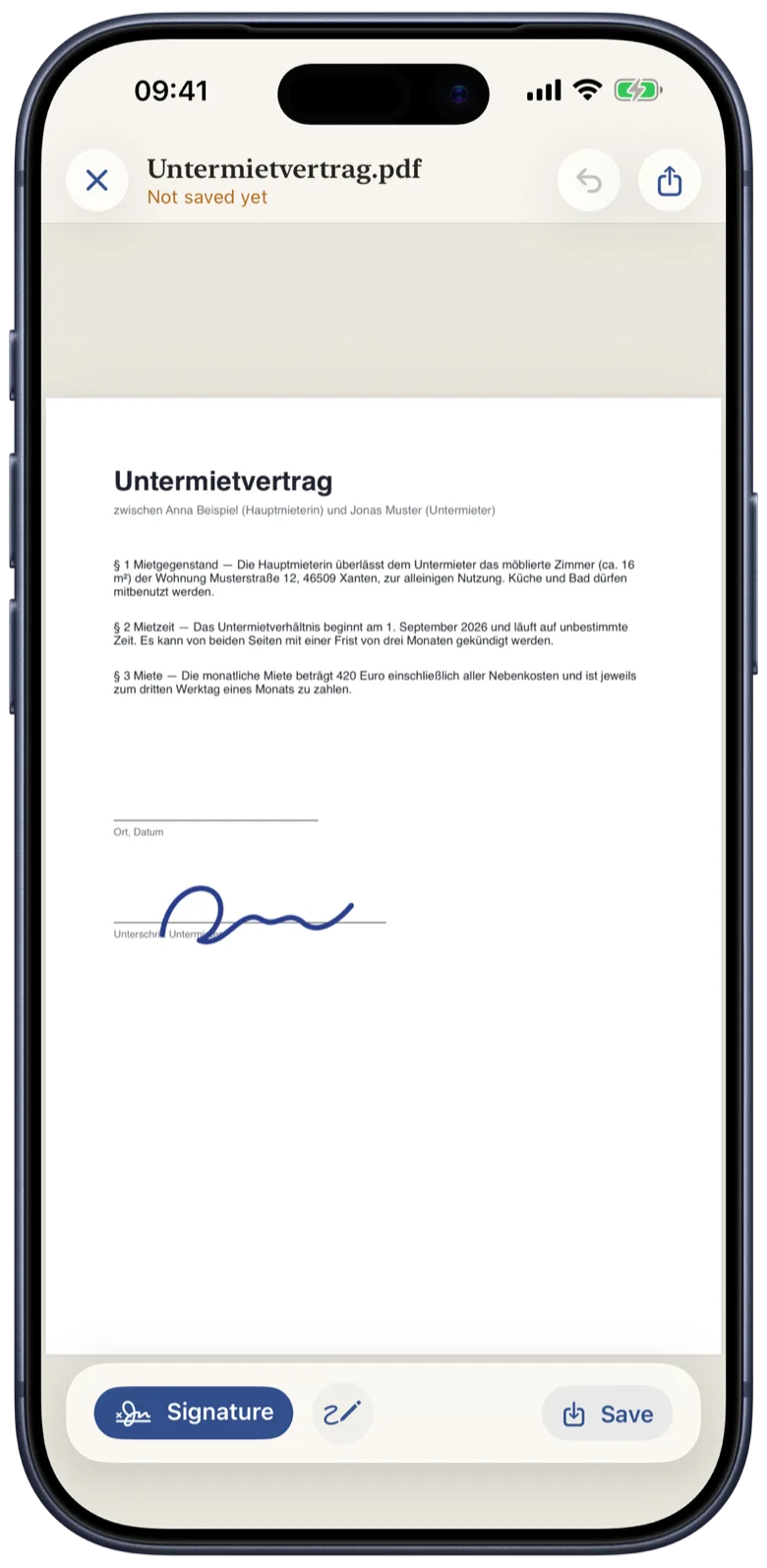
Draw your signature with your finger and save it. On the next document, place it with a single tap – move, resize and rotate it until it sits exactly right. Saving burns it permanently into the PDF.
Fill in & Annotate
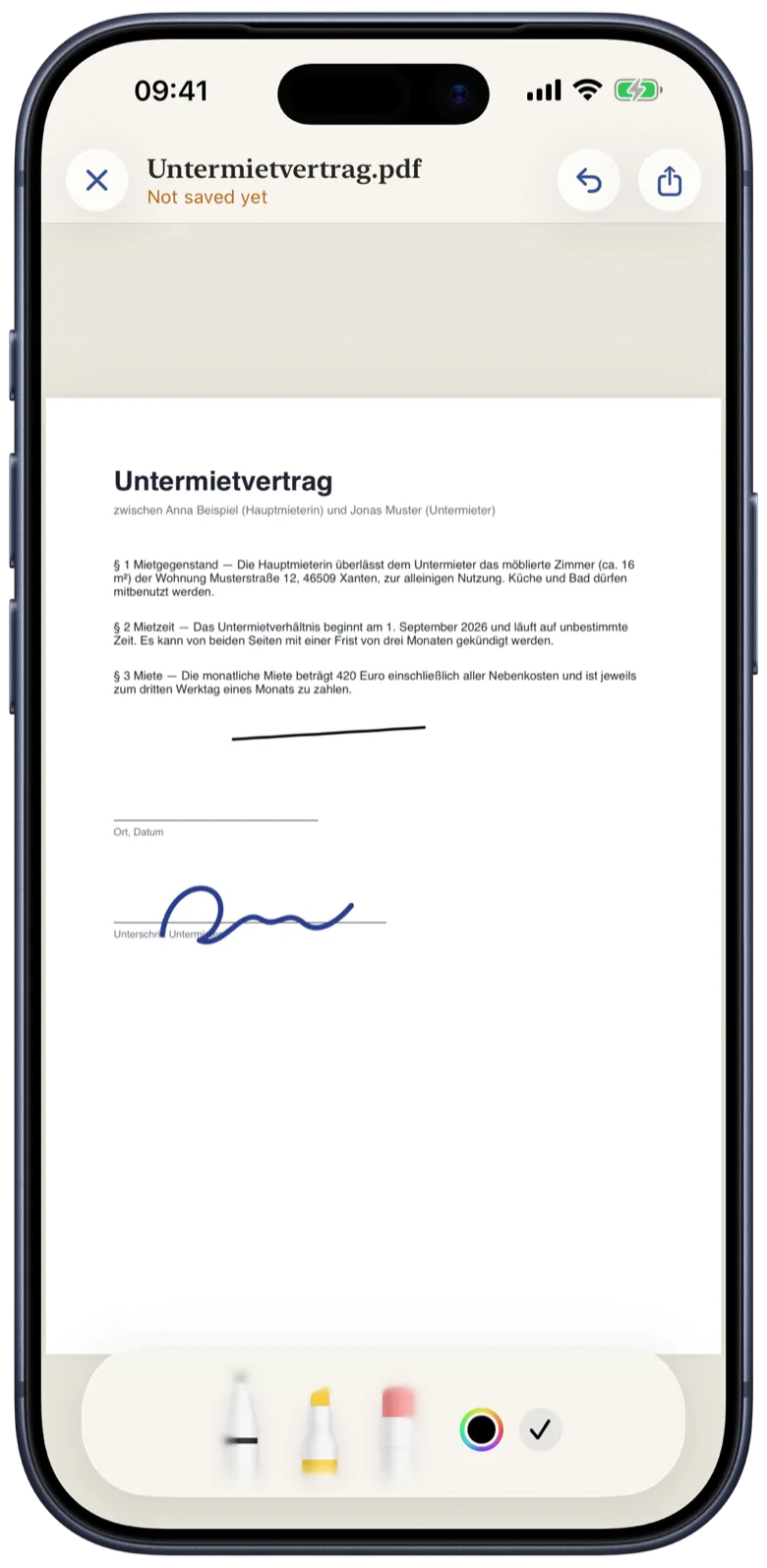
Forms need more than a signature. In annotate mode, pen, highlighter and eraser sit right inside the document – draw with your finger or Apple Pencil, in any color.
From Your Computer
Tinte opens a transfer view with an address for your browser. Drop in a PDF, sign it on your iPhone, download the signed copy. Computer and iPhone just need to be on the same network – Wi-Fi or Ethernet, it doesn’t matter, and no internet connection is required.
Everyday moments
Everywhere you used to print, sign and scan it all back in.
Received by email, opened in Tinte, signed and sent back – no printer, no scanner involved.
Tick the boxes, add the date, sign – at the breakfast table, before the bus leaves.
Received on your computer, beamed to your iPhone over Wi-Fi, signed copy straight back in your browser.
Reviewed on the go, countersigned and sent back straight from Tinte – professional, no printer.
Add the date, sign, send it off as a PDF – done on the train ride home.
Fill it in on site, both sign right on the iPad – everyone gets their copy immediately.
Hand the email attachment to Tinte via the share sheet – the contract lands right on your desk.
Insert your saved signature with one tap, then move, resize and rotate it until it sits exactly on the line.
In annotate mode, write place and date right next to it – with your finger or Apple Pencil.
Saving burns everything permanently into the PDF. Share the signed document straight from Tinte by email.
You only draw your signature once, by the way – it stays saved on your device, one tap away for the next contract.
Open the PDF from the parents’ email or the school portal in Tinte – it lands right in your recent documents.
In annotate mode you check off the choices – pen, highlighter and eraser sit right inside the document.
Write the date and short notes freehand, in any color – just like on paper.
Place your signature, save, send it back – done before your coffee gets cold.
Works just the same for any other form: day care, sports club, doctor’s office, city hall.
Tinte shows you an address and a QR code for your computer – no sign-in, no account.
Open the address in your browser and simply drag the contract into the window – no cable, no cloud.
The document appears in Tinte right away. Sign, fill in, highlight – as usual.
Your browser downloads the signed version – always the current state of your edits.
Computer and iPhone just need to share the same network – your documents never leave it.
Open the PDF from your email or your office workflow right in Tinte – wherever you are.
Check off the line items or highlight them, add freehand notes right next to them.
Your saved signature sits on the signature line with a single tap.
Save and send it straight from Tinte – neatly signed, no detour via the printer.
Quote, order or invoice – countersigned in a minute.
Open the finished PDF – from a template or from the provider – in Tinte.
Write the cancellation date and your city right into the letter in annotate mode.
Place your signature – saving burns it permanently into the PDF.
Email it to the provider and wait for the confirmation – job done.
Works for any cancellation or informal request – as long as it’s signed.
Open the hand-over report as a PDF on your iPhone or iPad – right there in the apartment.
Jot down readings and defects on the spot – with your finger or Apple Pencil.
First you, then the other party – two signatures, right on the device.
Both sides get the signed report by email before anyone leaves.
No copies, no scanning – both sides leave with the same signed PDF.
Tinte uploads nothing to any cloud, requires no account and contains no ads and no tracking. What you sign is nobody else’s business.